
Tech
Essential Tips to Protect Yourself from Internet Scams

In today’s digital age, internet scams are evolving rapidly, targeting unsuspecting individuals every day.
Staying safe online requires a proactive approach and an understanding of how scammers operate. Follow these steps to protect yourself from becoming a victim:
1. Scrutinize Links and Websites
Always double-check links before clicking. Ensure the URL starts with “https://” and belongs to a trustworthy domain. Scammers often create fake websites that mimic reputable ones to steal your information.

2. Beware of Unrealistic Offers
If an offer sounds too good to be true—such as promises of quick riches or free products—it’s likely a scam. Approach such deals with caution and verify their authenticity.

3. Strengthen Your Passwords
Use complex, unique passwords for each of your accounts. Avoid reusing old passwords and consider a password manager to keep your login details secure.

4. Guard Your Personal Information
Avoid sharing sensitive details like banking information, Social Security numbers, or account passwords over email, calls, or text messages—even if the request appears urgent.

5. Enable Two-Factor Authentication (2FA)
Adding an extra verification step to your accounts can make it much harder for hackers to access your information, even if they have your password.

6. Stay Informed About Scams
Scammers frequently change tactics. Keep yourself updated on the latest scam trends and learn to identify red flags through trusted online sources or news outlets.

7. Use Secure Connections
Never conduct sensitive activities, such as online banking, over public Wi-Fi. If you must use public networks, secure your connection with a VPN to protect your data from hackers.

8. Trust Your Instincts
If an email, message, or phone call feels suspicious, take a step back. Verify the source through official websites or contact numbers before taking any action.

9. Report Suspicious Activity
When you encounter a potential scam, report it to your local cybercrime authority. This helps protect others from falling into the same trap.

By remaining vigilant and adopting these practices, you can safeguard yourself against internet scams. Remember, online safety starts with awareness and caution. Stay alert and protect your digital presence!



For tech beginners or AI beginners who do not know how to use it, here is a simple guide on how to use AI to edit your photos.
Today, we will be looking at something as simple as changing your outfit, the colour of it or anything else you want to change.
Here are the steps to edit your photos using AI:
- Go to ChatGPT or any other AI tool you are using.
- Click on the attachment icon to attach the image you want to edit.
- Upload the photo you want to make changes to.
- Type your prompt and clearly state what you want the AI to change. For example: “Change the colour of the outfit in this image to red.”
- Send the prompt and allow the AI to edit the image based on your instruction.
- If you do not like the result, you can give another prompt telling the AI exactly what you want changed or corrected.
You can use the same method to change the colour of your outfit, change your hairstyle, remove something from the photo, change the background or make other edits to your image.
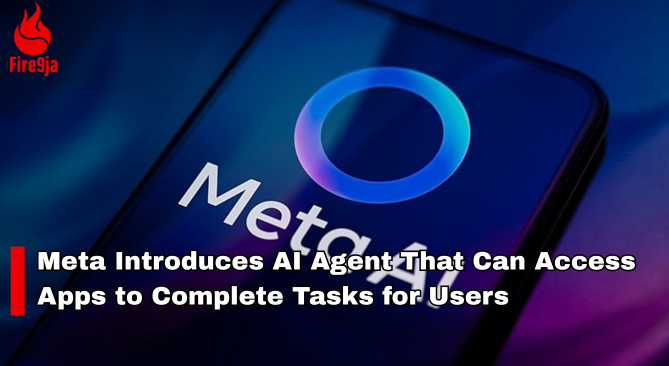
Meta has launched Muse, an AI agent designed to perform tasks across different apps and services on behalf of users.
The AI agent can perform tasks such as sending emails, booking travel and making payments, with users able to control which apps and services it can access.
Meta said Muse will require user approval for sensitive actions, including sending emails and making purchases. The AI agent is initially available in the United States.

10 Best Power Banks to Use and Their Capacities
- Oraimo — 10,000mAh
- Itel — 10,000mAh
- Samsung — 10,000mAh
- Anker — 10,000mAh
- Xiaomi — 10,000mAh
- Infinix — 10,000mAh
- Tecno — 10,000mAh
- Romoss — 20,000mAh
- Baseus — 20,000mAh
- New Age — 20,000mAh

Judge Tells Duane Davis He Must Face Justice for Tupac’s Murder

Timini Egbuson Reflects on Embracing YouTube Movies in Nollywood


